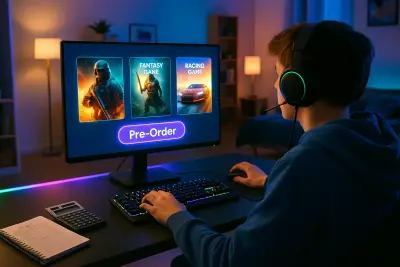
Digital storefronts, constant sales, and subscription services make it easier than ever to buy games—and just as easy to overspend on titles you barely touch. Whether you play on PC, console, or mobile, a bit of structure in how you choose and buy games can dramatically improve both your experience and your budget. This guide walks through practical ways to turn impulse buys into informed purchases, so your library is full of games you actually enjoy instead of digital clutter.
Start With Your Play Style, Not the Storefront
Most players buy games based on what’s trending or discounted, but a smarter starting point is how you actually like to play.
Think about three things: how much time you realistically play each week, which activities you enjoy most (competition, storytelling, exploration, social play), and how you feel about repetition or grinding. Someone who prefers short, focused sessions is likely to get more value out of roguelikes, puzzle games, or compact narrative adventures than 100-hour open-world epics, no matter how well-reviewed those epics are.
List the last five games you genuinely finished or kept returning to, then note what they had in common: genre, length, difficulty, or social features. Use that profile as your personal filter. When a new game catches your eye, ask: “Does this match the kind of experiences I actually complete and enjoy?” If not, it may belong on a “maybe later” list, not in your cart.
Shifting your mindset from “Is this game popular?” to “Is this game like the ones I truly enjoy?” dramatically reduces regret purchases and helps you build a library tailored to your habits.
Read Beyond the Hype: Reviews, Refunds, and Real Fit
Before buying, it pays to dig deeper than marketing trailers and store page blurbs.
Professional reviews from established outlets can help you understand performance issues, design strengths, and whether the game matures well after the opening hours. User reviews, especially on platforms like Steam or console stores, are valuable when you sort by “Most Recent” to see if recent updates fixed problems or introduced new ones.
Focus on specific details: how long it takes to finish, whether the difficulty can be adjusted, and how the game runs on your platform of choice. If you have limited time, shorter, replayable games might feel like a smarter buy than sprawling titles you’ll never complete.
Also, get familiar with refund policies on your main platforms. Steam, for example, generally allows refunds within 14 days and under two hours of playtime, while console and mobile storefronts have their own rules. Knowing you have a limited window to test performance, controls, and comfort (especially important for fast-paced or VR games) gives you room to walk away from a poor fit without sinking your budget.
When you treat those first hours as an evaluation period—not a sunk cost—you reduce long-term regret and ensure you’re paying for games that truly work for you.
Consider Total Cost, Not Just the Base Price
Modern games often go far beyond a one-time purchase. To be a smart buyer, think in terms of “total cost of ownership,” not just the sticker price.
Many titles now ship with downloadable content (DLC), cosmetics, battle passes, or expansions. For some players, these extras are optional; for others, they’re part of what makes the experience feel complete. Before buying, check whether the game has a “complete edition” or bundle that will ultimately be cheaper than buying individual pieces later.
Live-service and free-to-play games deserve particular scrutiny. A game that costs nothing upfront may rely heavily on microtransactions for characters, skins, or progression boosts. If you know you’re prone to buying cosmetics or skipping grind, that “free” game can become more expensive than a full-price single-player release.
Subscriptions like Game Pass, PlayStation Plus, or Apple Arcade can be excellent value—especially if you try many games and don’t insist on owning them permanently. But they’re only a good deal if you regularly play titles from the catalog. Track what you actually use over a couple of months; if you’re not touching the included games, it may be cheaper to buy the few you really care about.
When you compare total cost and how you tend to spend inside games, you’ll spot where your money actually goes—and can calibrate your choices accordingly.
Time Your Purchases and Use Wishlists Strategically
You don’t have to buy every interesting game at launch. In many cases, waiting even a short while saves money and delivers a better version of the game.
Most major games receive patches in the weeks and months after release, fixing bugs and polishing performance. Prices also tend to drop relatively quickly—sometimes by 20–50% within the first year, with deeper discounts during seasonal sales. If you don’t need to be part of the day-one conversation, patience is often rewarded with a smoother, cheaper experience.
Use wishlist features on Steam, the Epic Games Store, console storefronts, or digital retailers to track games that interest you. Many platforms will email or notify you when those games go on sale. This has two benefits: you avoid impulse buying, and you can quickly compare multiple titles on your wishlist to decide which one fits your time, budget, and mood right now.
You can also set a personal “target price” for each game. If a title drops to or below that number, it’s a signal that the value now matches your comfort level. If it never reaches that threshold—and you stop thinking about it—that’s a sign it may not have been a must-play after all.
Putting a small delay between seeing and buying, even just a day or two, dramatically improves decision quality and keeps your spending aligned with what you truly want to play.
Match Hardware and Performance to Your Budget
Nothing sinks a purchase faster than a game that runs poorly on your system. Before you buy, make sure your hardware and setup can actually deliver the experience you’re paying for.
On PC, always compare the game’s minimum and recommended specs with your machine’s components, especially graphics card, CPU, and RAM. If your system only meets minimum requirements, expect to turn down settings and accept lower frame rates. On consoles, check for performance modes (frame rate vs. resolution) and any known issues on your specific generation of hardware.
If a game pushes your hardware to its limits, factor potential upgrades into the total cost. Sometimes, paying a bit more for an optimized or last-generation-friendly title gives you a smoother, more enjoyable experience than chasing the latest graphical showpiece your system can barely run.
Also consider ergonomics and comfort. Fast-paced shooters, fighting games, and precision platformers often benefit from a good controller or low-latency display. If you find yourself consistently frustrated by inputs or lag, you may get more long-term value from improving a key piece of equipment than from buying more games.
Thinking holistically—game plus hardware plus comfort—helps ensure every purchase translates into fun playtime, not technical headaches.
Five Practical Tips for Smart Game Purchasing
Here are five quick, actionable practices you can start using today:
Use a “test list” before buying
Keep a simple note with three columns: “Must Play Soon,” “Maybe Later,” and “Pass.” When you discover a game, put it on the list first; only move it into “Must Play Soon” if you’re still thinking about it after a few days and it fits your play style.
*Evaluate cost per hour of enjoyed play, not just total hours
A short game that gives you 6–8 excellent hours can be better value than a 100-hour game you abandon after 5. When you finish or drop a game, roughly note how many hours you actually enjoyed to see where your money felt “worth it.”
Check multiple opinions before buying
Look at at least one professional review, one critical user review, and one positive user review. If all three agree on core aspects (performance, grind, difficulty), you have a more reliable picture of what you’re buying.
Cap in-game spending before you start
For games with microtransactions, decide on a monthly or total cap in advance. If you hit that number, pause spending and reassess whether the extra purchases are still improving your experience.
Use free trials and demos aggressively*
Many services and games offer limited-time trials or demos. Treat them like stress tests: try the game in the way you normally play (time of day, length of session) and only buy if it feels compelling enough that you’re eager to return.
Conclusion
Smart game buying isn’t about denying yourself new releases; it’s about matching what you purchase to how you actually play, and what you truly value in your free time. By focusing on your play style, checking real-world performance and refund options, considering total cost, timing your purchases, and aligning games with your hardware, you turn your library into a curated collection instead of a pile of forgotten downloads.
When your purchases are intentional, every game you buy has a far better chance of becoming something you finish, remember, and recommend—rather than just another icon on a crowded screen.
Sources
- Steam Refunds – Official Policy - Details Valve’s refund rules, useful for understanding your options when purchasing PC games
- Entertainment Software Association: 2024 Essential Facts - Industry overview with data on player habits and spending patterns
- Consumer Financial Protection Bureau – Managing Credit Card Use - Guidance on controlling spending, relevant if you often buy games or in-game items with credit
- Xbox Game Pass – How It Works - Official explanation of Microsoft’s subscription service for evaluating subscription value
- PlayStation Store: Game Trials & Demos - Information on trial access, useful for testing games before committing to a purchase
Key Takeaway
The most important thing to remember from this article is that this information can change how you think about Games.