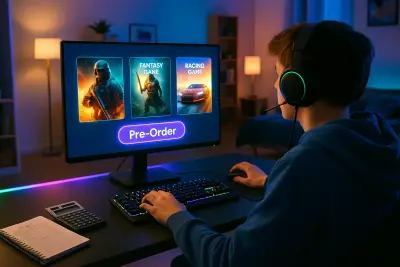
Buying video games today can feel overwhelming. There are endless platforms, constant sales, deluxe editions, battle passes, and “limited-time offers” pulling your attention (and your wallet). But if you’re not careful, it’s easy to end up with a digital backlog you never touch—or spend more on add-ons than the game itself.
This guide focuses on smart game buying: how to choose games you’ll really enjoy, avoid overspending on extras, and get the most value out of every purchase. Whether you’re a casual player or a dedicated gamer, you can use these tips to make better decisions and build a library that actually fits your life.
Start With Your Playstyle, Not the Hype
Before you even open a store page, get clear about what you actually like to play—and how you realistically play.
Ask yourself:
- How much time do I usually have for games each week?
- Do I prefer solo experiences or multiplayer with friends?
- Do I enjoy story-driven games, competitive challenges, or “cozy” low-stress titles?
- Do I tend to play one game for months, or bounce between shorter experiences?
Use your existing library as evidence. Look at:
- Which games you finished vs. abandoned
- Total hours played (Steam, PlayStation, Xbox, and Nintendo all track this)
- Genres you keep coming back to (RPG, roguelike, sports, puzzle, sim, etc.)
This helps you filter recommendations. A 200-hour open-world RPG might be a great deal on paper, but not if you only have 3–4 hours a week and prefer tightly paced stories. Similarly, a popular competitive shooter might not be worth it if you mostly relax with single-player games at the end of the day.
Knowing your patterns makes it easier to ignore hype around games that don’t fit your preferences—and focus your budget on ones that do.
Compare Platforms, Prices, and Perks Before You Buy
The same game can cost different amounts—and come with different benefits—depending on where and how you buy it. A quick comparison can save real money over time.
Key things to check:
- Platform prices: Compare Steam, Epic Games Store, PlayStation Store, Xbox Store, Nintendo eShop, and official PC launchers (EA, Ubisoft, etc.) for sales and bundles.
- Regional pricing: Some stores use regional pricing that can make games cheaper or more expensive. Always follow store terms and your local laws.
- Subscription libraries: Services like Xbox Game Pass, PlayStation Plus, Nintendo Switch Online + Expansion Pack, and EA Play include hundreds of games for a monthly fee. If you tend to sample many titles instead of replaying one, a subscription can be better value than buying individually.
- Refund policies: Check how easy it is to return a game if it doesn’t run well or doesn’t match the store description. Good refund policies reduce risk when trying something new.
Also watch for:
- Bundles and collections (especially for older series or indie titles)
- Complete / GOTY editions that include expansions at a discount
- Publisher or seasonal sales (Black Friday, summer sales, holiday events)
A few extra minutes of comparison checking before you click “purchase” can add up to big savings over a year.
Read Beyond the Score: How to Interpret Reviews
Game reviews are useful—but only if you know what to look for. A single score (like 9/10 or “Very Positive”) doesn’t tell you whether you will enjoy a game.
Use reviews more like a compatibility check:
- *Focus on why, not just what
Look for specific comments: “Great combat but repetitive sidequests,” “Amazing story, but performance issues on console,” “Short campaign, heavy focus on co-op.”
- Separate critic and user perspectives
Professional reviews often cover design, innovation, and production quality. User reviews can highlight long-term issues, like balance problems, server stability, or aggressive microtransactions.
- Filter for your platform and hardware
A game might run well on one system and poorly on another. Check PC performance discussions if you’re on a lower-end machine, or console-specific notes if you’re deciding between platforms.
- Watch recent reviews for live-service games
Ongoing games (online-only, battle royales, MMOs) can change a lot after launch. Sort reviews by “most recent” to see the current state of performance, monetization, and community sentiment.
- Seek out gameplay videos and streams
Trailers are marketing. Extended gameplay on YouTube or Twitch shows how the game actually plays: pacing, UI, difficulty, and moment-to-moment feel.
Your goal isn’t to find a “perfect” game—it’s to spot deal-breakers in advance (like always-online DRM when you have unreliable internet, or a focus on PvP when you only want solo play).
Five Practical Tips for Smart Game Purchasing
These strategies will help you get more value from your gaming budget without feeling deprived.
1. Delay non-essential pre-orders
Pre-ordering used to matter for physical scarcity; for most digital games, it doesn’t. Unless there’s a genuinely limited physical edition or a franchise you trust completely, wait for:
- Performance reports (especially on launch day patches)
- Player feedback on bugs and server stability
- Honest takes on gameplay length and variety
Waiting even a few weeks can mean a more stable version—and often a discount.
2. Set a personal “full-price rule”
Decide which games you’re willing to buy at launch price and which you’ll only buy on sale. For example:
- Full price only for your absolute favorite series or developers
- Everything else goes on a wishlist until it hits a target price
Most games receive their first discount within a few months. If your backlog is already big, there’s no urgency to pay top dollar.
3. Control spending on DLC, skins, and microtransactions
In many games, the initial purchase is just the start. To avoid drip spending:
- Decide a total budget per game, including expansions or cosmetics
- Prioritize content that adds real gameplay value (story expansions, new modes) over purely cosmetic items
- Be cautious with loot boxes or randomized rewards—these can encourage overspending for uncertain outcomes
If a game is free-to-play, compare your spending over time to the price of a full game. It’s easy to surpass $60+ in small purchases without noticing.
4. Use wishlists and price trackers
Most major platforms let you:
- Add games to a wishlist
- Get notifications when they go on sale
For PC, browser extensions and deal-tracking sites can show historical lows and upcoming sales. This removes the impulse element—your future self gets alerted when the price makes sense, instead of buying on a whim.
5. Buy with your current schedule, not your ideal one
It’s tempting to buy long, complex games for a “future” where you have more free time. That future rarely arrives. Before buying:
- Ask if you can realistically start the game within the next 1–2 weeks
- Consider the average completion time (sites like HowLongToBeat can help)
- Be honest: will this game compete with something you’re already playing?
If a title will just sit in your backlog, add it to a wishlist and revisit later. You’ll either lose interest (saving money) or buy it later at a discount with renewed enthusiasm.
Watch Out for Hidden Costs and Ownership Limits
Not all game purchases are equal when it comes to ownership and access. Understanding the fine print helps you avoid unpleasant surprises.
Key things to check:
- DRM and online requirements
Some games require a constant internet connection or third-party launchers. If your connection is unstable—or you dislike always-online DRM—this can significantly impact your experience.
- Digital rights vs. actual ownership
Buying digitally usually means you’re purchasing a license, not a physical object. Platform policies (and regional laws) determine what happens if a store closes or a game is delisted.
- Cross-platform and cross-save support
If you might switch between PC and console, or between different console generations, check whether your progress and purchases carry over.
- In-game economies and paywalls*
Free-to-play games can be fair and generous—or heavily monetized. Look at how much content is realistically accessible without extra spending and whether progression feels balanced for non-paying players.
If these factors matter to you, they should be part of your buying decision—not something you only discover after paying.
Conclusion
Smart game buying isn’t about never spending money; it’s about making sure every purchase means something to you. When you understand your playstyle, compare platforms and prices, read reviews critically, manage add-on spending, and watch for hidden costs, you gain control over your library and your budget.
Instead of chasing every new release, you’ll build a collection of games that fit your life, your time, and your preferences. That’s how you turn your gaming budget into experiences you actually finish, remember, and enjoy—not just icons sitting untouched in a digital library.
Sources
- Entertainment Software Association – 2024 Essential Facts About the Video Game Industry – Industry data on who plays games, how, and on which platforms
- Federal Trade Commission – “Children’s Privacy and Online Gaming” – Guidance on privacy, in-game purchases, and protections, useful context for families managing spending
- Microsoft – Xbox Refund Policy – Example of digital game refund terms and conditions
- Valve – Steam Refunds – Details on one of the most widely used PC game refund policies
- HowLongToBeat – Game Length Database – Community-sourced completion times that help buyers gauge game length before purchasing
Key Takeaway
The most important thing to remember from this article is that following these steps can lead to great results.