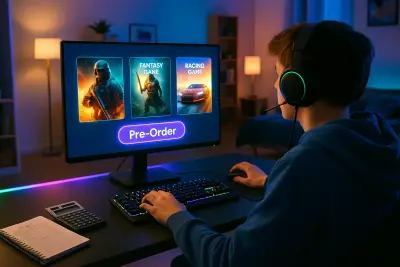
Whether you play on console, PC, or mobile, game stores are built to make you buy quickly and often. Flash sales, deluxe editions, pre-order bonuses, and “limited time” cosmetics all push you toward impulse decisions. But with a little structure, you can build a game collection you actually use—without draining your wallet or drowning in digital clutter.
This guide focuses on practical, consumer-first advice to help you buy games more intentionally. You’ll learn how to tell whether a game is really worth your money, which edition to choose, and how to avoid the most common traps in modern game storefronts.
Start With Time, Not Just Price
When people think “budget,” they usually think about money. For games, time is just as important. A $60 game you play for 100 hours might be a better value than a $15 game you abandon after one weekend.
Before you buy, ask: “When will I realistically play this?” Look at your current backlog and your schedule over the next month or two. If you already have two big story games and a live-service title you’re active in, another heavy time investment may just sit there untouched. Prioritize purchases that fit your current lifestyle: short session games for busy weeks, deeper titles for upcoming vacations or holidays. Treat “time budget” as seriously as your money budget—if a game doesn’t have a clear place in your next few weeks, add it to your wishlist instead of your cart.
Compare the Full Cost, Not Just the Base Price
Modern games often come in multiple editions and monetization models: standard, deluxe, ultimate, battle passes, cosmetic shops, expansions, and subscriptions. The cheapest-looking option may not be the best value once you factor in how you’ll actually play.
Before buying, look up how the game makes money after purchase. Does it rely on paid expansions to complete the story? Are essential features or modes locked behind DLC? For live-service or multiplayer games, consider whether you’re comfortable with ongoing battle passes or cosmetic purchases. If you expect to buy every expansion, it might be worth waiting for a complete edition or a discounted bundle. On the other hand, if you tend to drop games after a few weeks, the standard edition is often more than enough. Think about the “lifetime cost” of your time with the game, not just the number you see on the buy button today.
Use Community Data Wisely (Without Getting Overwhelmed)
Reviews and community feedback are powerful tools—if you know how to read them. Instead of just checking the overall score, dive into what people are actually saying, especially players with similar preferences or hardware to yours.
Look for patterns in user reviews: are people consistently complaining about performance issues on your platform, shallow endgame, or aggressive monetization? Pay extra attention to reviews updated after major patches, since modern games can change significantly post-launch. Professional reviews can help you understand design, mechanics, and pacing, while player reviews often highlight real-world problems: bugs, server stability, and how the game feels after dozens of hours. Use wishlists and “follow” features on platforms like Steam or console stores so you can track how a game improves over time instead of buying at launch out of fear of missing out.
Match the Edition to How You Actually Play
Special and deluxe editions are designed to feel like the “real” version of a game, but they’re not always the smart purchase. The right edition depends heavily on your playstyle, not on the marketing.
If you usually focus on the main story and move on, the standard edition is usually all you need. Cosmetic packs, bonus skins, or early access items often don’t change core gameplay. If you love a particular series and historically buy all the expansions, a well-discounted “complete” or “ultimate” edition can be cost-effective—especially during major sales. For competitive online games, early unlocks of characters or gear may only matter if you’re diving in on day one and care about staying ahead. When in doubt, start with the base game; you can always upgrade or add DLC later once you know you truly enjoy it.
Use Sales, Subscriptions, and Demos Without Losing Focus
Sales and subscription services can be your best allies or your biggest source of clutter. The key is to let discounts refine what you already want—not drive what you decide to play.
Keep a running wishlist of games that genuinely interest you, and buy when they hit a price you’ve decided in advance is reasonable. This prevents you from grabbing random games just because they’re cheap. For subscription services, treat them like a rental library: explore broadly, but track which games truly capture your attention. If a game hooks you and might leave the subscription soon, that’s a signal it may be worth owning, especially if it’s discounted. When demos or free trial weekends are available, use them; a couple of hours of hands-on time tells you far more about whether a game fits your tastes, performance needs, and control preferences than any trailer ever will.
Conclusion
Building a satisfying game library isn’t about owning everything; it’s about owning the right things for you. By budgeting your time, understanding full costs, reading community feedback thoughtfully, choosing editions based on your habits, and using sales and subscriptions with intention, you can turn game buying from an impulse-driven habit into a deliberate, rewarding part of the hobby.
The next time you feel the urge to click “buy,” pause and walk through these ideas. If a game fits your time, budget, and playstyle—and you’re confident you’ll actually play it soon—it’s far more likely to earn a real spot in your library instead of just sitting in your backlog.
Sources
- Entertainment Software Association – Essential Facts About the Video Game Industry - Industry data on player habits, spending, and platform preferences
- Federal Trade Commission – Video Game Guidance - Consumer-focused advice on in-game purchases, microtransactions, and parental controls
- Sony PlayStation – Refunds and Cancellations Policy - Official information on digital game refund rules for PlayStation users
- Valve (Steam) – Refund Policy - Details on how Steam refunds work, including playtime limits and eligibility
- Microsoft Xbox – Digital Game Refund Terms - Xbox guidance on digital refunds and purchase-related consumer rights
Key Takeaway
The most important thing to remember from this article is that this information can change how you think about Games.