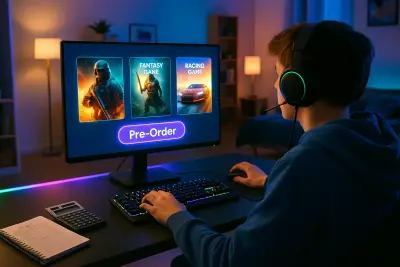
Between constant sales, deluxe editions, and in-game purchases, buying games today can feel more like navigating a store maze than a fun hobby. It’s easy to spend a lot and still feel like you’re not getting real value from your purchases. This guide focuses on how to choose games and gaming-related content (DLC, subscriptions, cosmetics) in a way that keeps the fun high and the regret low.
Understand Your Playstyle Before You Buy
One of the easiest ways to waste money on games is buying what’s popular instead of what you actually enjoy. Start by looking at the games you already own and love. Are you drawn to story-driven single-player adventures, competitive multiplayer, cozy life sims, or fast, arcade-style action? How much time do you realistically spend gaming in a week?
Check your playtime history (Steam, PlayStation, Xbox, and Nintendo all track this) and identify patterns: genres you finish, games you drop early, and titles you repeatedly return to. When you’re tempted by a new release, ask: “Does this match the kind of game I actually finish and enjoy?” If it doesn’t align with your real habits, add it to a wishlist instead of buying right away. Over time, this simple filter can dramatically reduce impulse buys that end up barely played.
Compare Value, Not Just Price, Across Platforms and Editions
Not all versions of a game are created equal. The same title can be sold as standard, deluxe, and “ultimate” editions—plus different pricing on PC, console, or subscription services. Instead of focusing only on the sticker price, think in terms of value per hour of enjoyment and what’s realistically useful to you.
Check what each edition actually includes: Is it meaningful extra content (story expansions, full DLC packs), or mostly cosmetics and small boosts you may never use? Often, the standard edition offers nearly the full experience at a lower cost. Also compare platform ecosystems: PC might have frequent discounts; consoles may offer cross-buy or upgrade paths; subscription services sometimes include the base game, so buying it outright could be unnecessary. Use price tracking tools and wishlists to monitor sales rather than paying launch-day prices by default.
Use Reviews, Refund Policies, and Demos Strategically
You don’t need to guess whether a game is worth it—there’s a ton of information available if you know how to read it. Look at a mix of professional reviews and user impressions: critics can highlight technical quality and design, while players surface real-world issues like bugs, server problems, or grindy progression. Pay attention to specific criticisms that matter to you (performance on your platform, microtransaction pressure, difficulty balance) instead of just the overall score.
Refund policies and demos are powerful tools to protect your budget. Platforms like Steam and some console stores offer limited-time or limited-play refunds—know the rules before you buy so you can safely test a game that you’re unsure about. When demos or free trial weekends are available, treat them like test drives: focus on whether the core gameplay feels good and if you can see yourself returning after the novelty wears off. If a game doesn’t “click” in that window, walking away is almost always the cheaper choice.
Plan Around Live-Service Models and In-Game Purchases
Many modern games are designed as ongoing “live services” with constant updates, seasonal content, and in-game stores. These can be fun and engaging, but they’re also engineered to encourage repeated spending. Before you commit to a live-service game, check how its monetization works: Are purchases purely cosmetic, or do they affect gameplay (pay-to-win or pay-to-skip)? Is there a battle pass; does it expire; can you realistically complete it with your schedule?
Set a personal rule for in-game spending before you start: for example, a fixed monthly cap or only buying something after you’ve played a certain number of hours. Avoid loot boxes or randomized rewards when possible—they tend to deliver poor value for the cost. If a game constantly feels like it’s pushing you toward spending just to keep up, that’s a sign to step back and reconsider whether it deserves your time and money at all.
Treat Subscriptions and Bundles Like a Rotating Library
Game subscription services and bundles can be a great way to access a huge catalog for a relatively small fee—but they can also become another recurring cost you barely use. Think of them as a rotating library rather than something you must stay subscribed to forever. Before signing up, look at the current catalog: Are there at least a few games you actually want to play in the next month or two, not just “nice to have someday”?
Make a short list of priority titles to play while subscribed, and set a reminder to revisit whether the service is still worth it when the next billing cycle approaches. When a game you want is available through a subscription, estimate: Will I finish it during a one- or two-month sub, or is it a long-term favorite worth owning outright in a sale? For bundles, ignore the total “retail value” and instead ask how many games you realistically see yourself launching at least once; one or two great fits can justify the price, but a pile of unplayed extras is still clutter, even if it was “cheap.”
Conclusion
Smart game purchasing isn’t about never spending—it’s about matching your money to the games that genuinely fit your tastes, time, and hardware. When you understand your playstyle, compare value across platforms and editions, lean on reviews and refund options, stay clear-eyed about live-service monetization, and treat subscriptions as temporary tools, you dramatically reduce regret purchases. The result: a smaller library you actually love, more time enjoying games instead of shopping for them, and a hobby that stays fun without quietly draining your budget.
Sources
- Entertainment Software Association – 2024 Essential Facts About the Video Game Industry - Industry data on how and what people play, helpful for understanding playstyle trends.
- Steam Refund Policy – Official FAQ - Details on how Steam refunds work and the conditions for trying games risk‑reduced.
- Xbox Game Pass – Official Overview - Explains how the subscription catalog and platform benefits are structured.
- PlayStation Plus – Official Guide - Information on subscription tiers and included game libraries.
- Federal Trade Commission – Loot Boxes and Online Games - Consumer protection perspective on loot boxes and in‑game monetization.
Key Takeaway
The most important thing to remember from this article is that this information can change how you think about Games.