Buying games today can feel overwhelming—there are endless titles, platforms, and sales, plus constant pressure to grab “must-play” releases on day one. But a great gaming library isn’t about owning everything; it’s about choosing games that fit your time, budget, and play style.
This guide breaks down how to evaluate games before you buy, avoid common money traps, and build a collection you’ll actually use. Along the way, you’ll get five practical tips to make smarter purchasing decisions, whether you’re into PC, console, or mobile gaming.
Start With How You Actually Play, Not What’s Trending
Before looking at sales pages or trailers, step back and look at your real habits. Many wasted purchases come from buying games for the player you wish you were instead of the player you are.
Ask yourself:
- How many hours a week do you realistically play?
- Do you prefer short sessions or long, immersive marathons?
- Are you into single-player stories, competitive multiplayer, or co-op with friends?
- Do you finish most games, or tend to hop between titles?
If you only have 3–5 hours a week, a 100-hour open-world RPG may not be your best value—no matter how highly rated it is. Conversely, if you love a single multiplayer title and play it daily, spending more on that “evergreen” game (and less on impulse buys you’ll barely touch) can be a smarter move.
Anchoring purchases to your real habits narrows the field and helps you walk away from good games that aren’t good for you.
Learn to Read Beyond the Hype (and Trailers)
Game marketing is designed to make everything look amazing. Cinematic trailers, pre-rendered cutscenes, and carefully scripted “gameplay” often don’t reflect the moment-to-moment experience you’ll actually get.
To cut through the noise:
- Prioritize real gameplay footage from launch or post-launch, not early previews.
- Check both critic reviews and user reviews, and look for patterns rather than outliers.
- Pay attention to performance on your specific platform (console version vs. PC specs, for example).
- Look for mentions of bugs, crashes, or server issues, especially close to release.
Many games improve significantly after patches and updates. If you see “wait for a sale” or “needs a few more updates” repeated across reviewers, that’s a sign you might get a better experience (and price) later.
Tip 1: Use “Watchlists,” Not Wishlists
Instead of using your wishlist as a shopping queue, treat it like a “watchlist”:
- Add games you’re interested in.
- Don’t buy immediately—wait at least a week.
- Revisit and ask: “Do I still actively want this, or was that just launch hype?”
This simple pause helps you filter out impulse interest and focus on games with lasting appeal.
Understand Total Cost: Base Game vs. DLC vs. In-Game Spending
The sticker price is just one part of what a game may actually cost. Some titles are “complete” at launch, while others are built around ongoing spending through DLC (downloadable content), expansions, or microtransactions.
Before buying, check:
- Does the game have a season pass or battle pass?
- Are there cosmetic-only purchases, or does spending affect power and progression?
- Is there a “complete edition” that bundles all content and might be cheaper long term?
- Is it free-to-play but designed around frequent in-game purchases?
This is especially important for parents buying for kids: many free or low-cost games monetize through in-game stores and can lead to unexpected charges if spending controls aren’t set.
Tip 2: Compare “Hours of Enjoyment” to Price
A useful rule of thumb is to consider cost per hour of enjoyable play, not just the up-front price.
Rough guide:
- If you spend $60 on a game and play 30 hours, that’s $2/hour.
- If you spend $20 on a game you only like for 3 hours, that’s $6.67/hour.
You don’t need to calculate this precisely, but keeping the idea in mind helps you see that a slightly more expensive game you’ll play for months can be a better investment than a cheap game you’ll drop after a single evening.
Time Your Purchases Around Sales and Release Cycles
Games are one of the few categories where waiting almost always pays off—both in price and quality.
Patterns to know:
- Many big releases drop in price within a few months.
- Major sales (Steam Summer Sale, Black Friday, holiday sales, platform-specific events) often discount popular titles 30–70%.
- Game performance often improves over time through patches, driver updates, and balance fixes.
If you don’t need to be part of the “day one” conversation, waiting can mean:
- Lower price
- Fewer bugs
- More content included (DLC, updates, quality-of-life improvements)
Tip 3: Set a Personal “Target Price” Before You Buy
For any game you’re interested in, decide in advance:
- The maximum you’re willing to pay.
- A “buy instantly” price that feels like a strong value.
Then wait for the game to hit that range rather than reacting to whatever discount you see. This protects you from buying something at 10% off when you’d feel much better at 50% off a month later.
Match Platform and Edition to Your Real Needs
The same game can look very different across platforms and editions. A smart purchase means matching the version you buy to how and where you’ll use it.
Consider:
- Port quality: Some PC ports are poorly optimized; some handheld or cloud versions have visual compromises or performance issues.
- Cross-play and cross-progression: If your friends are on another platform, check whether you can play together or carry your progress between systems.
- Physical vs. digital: Physical games can sometimes be resold or shared; digital is more convenient but usually locked to your account.
- Standard vs. deluxe editions: Premium editions often include skins, early access, or minor bonuses that don’t change the core experience.
If you mostly play a few favorite games, it may be worth paying more for a platform or version that runs them best. If you like variety and reselling, physical console copies might stretch your budget further.
Tip 4: Look for “Complete” or “Game of the Year” Editions
If you’re late to a popular game, check whether there’s a:
- Complete Edition
- Game of the Year Edition
- Definitive Edition
These bundles often include the base game plus DLC and expansions at a lower combined price than buying everything separately. They’re ideal for story-driven titles where you’ll want all the content anyway.
Build a Sustainable Gaming Budget (Without Killing the Fun)
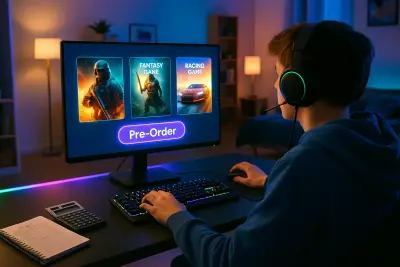
Enjoying games and being financially responsible can coexist if you plan ahead rather than reacting to flash sales and pre-order campaigns.
Practical steps:
- Set a monthly or quarterly gaming budget and treat it like any other category.
- Use subscription services (Game Pass, PlayStation Plus, etc.) intentionally—great for trying lots of games, but only if you actually use them.
- Avoid pre-ordering unless there’s a genuine benefit and you trust the developer’s track record.
- Keep a “backlog” list and commit to playing what you already own before buying something similar.
For households, especially with kids or teens, make sure spending settings and parental controls are configured on consoles, PCs, and mobile devices to prevent accidental or impulse purchases.
Tip 5: Use Community Feedback to Avoid Regret Buys
Gaming communities can quickly surface red flags:
- Check forums, subreddits, or Discord servers for early impressions.
- Look for comments from players who share your play style (single-player fans, co-op groups, competitive players).
- Pay attention to how developers respond to feedback—are they actively patching and communicating, or silent after launch?
When you see ongoing, constructive updates and a responsive community, that’s often a sign a game will be worth revisiting and may have a longer lifespan—boosting your overall value.
Conclusion
Smart game buying isn’t about never spending; it’s about making each purchase count. When you align games with your actual play habits, look beyond the marketing, factor in total cost, time your purchases, and use community and performance information, you dramatically reduce regret and increase the odds of building a library you love.
Use the five practical tips—watchlists, cost-per-hour mindset, target prices, complete editions, and community feedback—as a simple checklist before hitting “buy.” Over time, you’ll spend less on forgettable titles and more on games that truly earn their place in your collection.
Sources
- Entertainment Software Association – 2024 Essential Facts About the Video Game Industry - Industry data on player habits, game formats, and spending trends
- Federal Trade Commission – In-App Purchases: Tips for Parents - Guidance on managing and understanding in-game purchases and protecting against unexpected charges
- Xbox Game Pass Official Site - Details on subscription-based access to games and how these services structure content and pricing
- Steam Store – Special Offers - Example of how major digital platforms structure regular discounts and sales cycles
- PlayStation: Parental Controls and Spending Limits - Official overview of tools to manage game and in-game spending on consoles
Key Takeaway
The most important thing to remember from this article is that this information can change how you think about Games.