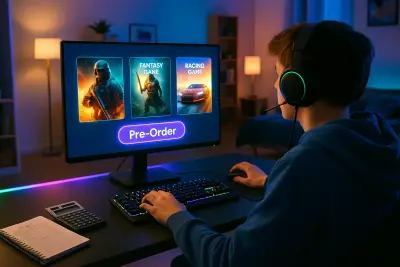
The gaming world has never been bigger—or more confusing for buyers. Between consoles, PCs, cloud services, digital storefronts, battle passes, and in‑game purchases, it’s easy to overspend or end up with games you barely play. This guide breaks down how to shop smarter in today’s gaming landscape so you can enjoy more playtime without draining your wallet.
Understand What Kind of Gamer You Actually Are
Before buying anything, get clear on how you play, how often you play, and what you genuinely enjoy. Many people overbuy powerful hardware or huge game libraries they never use because they’re shopping for an imagined version of themselves—not their actual habits.
Ask yourself:
- Do you play daily, weekly, or only occasionally?
- Do you prefer single-player story games, online multiplayer, or casual puzzle/party titles?
- Do you mostly play on TV, a monitor, or on the go?
- Do you value graphics and performance, or are you fine with simpler visuals if the game is fun?
This self-assessment should guide almost every purchasing decision. For example, if you mostly enjoy slower, single-player story games a few evenings a week, a subscription packed with competitive online titles or a costly esports-style mouse and keyboard setup may not add much value. On the other hand, if all your friends play online co-op together, investing in a platform with strong multiplayer and cross-play support could be your smartest move.
When you buy with your real habits in mind, you naturally avoid impulse purchases and narrow your options to what you’ll genuinely use.
Tip 1: Choose the Right Platform Before You Buy Any Games
The biggest and most expensive decision in gaming is your platform: console, PC, mobile, or cloud. Each has trade-offs in cost, flexibility, and long-term value.
Consoles (PlayStation, Xbox, Nintendo Switch):
- Pros: Simple setup, consistent performance, exclusive titles, family-friendly options.
- Cons: Hardware cycles (every several years), paid online multiplayer (for most), limited upgrade paths.
PC Gaming:
- Pros: Highly customizable, broad game library (including indie and older titles), often lower game prices during sales, mods.
- Cons: Higher upfront cost (for gaming rigs), more technical maintenance, endless upgrade temptations.
Mobile & Tablet:
- Pros: You already own the device, lots of free-to-play options, ultra-portable.
- Cons: Heavy emphasis on microtransactions, variable quality, touch controls may not suit all game types.
Cloud Gaming (e.g., Xbox Cloud Gaming, NVIDIA GeForce NOW):
- Pros: Little to no hardware investment beyond a basic device and controller, easy access to big titles.
- Cons: Requires strong, stable internet; ongoing subscription costs; performance can vary.
Smart buying means matching your platform to both your budget and your environment. If your internet is unreliable, a cloud-first strategy doesn’t make sense. If you can’t see yourself tinkering with drivers and settings, a console may offer better value than a custom PC. Decide this piece first; every game you buy afterward builds on that foundation.
Tip 2: Use Subscriptions Strategically, Not Automatically
Gaming subscriptions can be incredible value—if you use them intentionally. From Game Pass and PlayStation Plus to Apple Arcade and mobile passes, it’s easy to sign up, forget, and pay for months of access you barely touch.
Use this framework to decide whether a subscription makes sense:
- Content fit: Does the catalog actually match the genres and franchises you like, or is it just “a lot of stuff”?
- Time available: If you play only a few hours per month, buying a couple of well-chosen games per year might be cheaper than ongoing subscriptions.
- Ownership vs. access: When you cancel, do you keep any games? For many services, your library disappears with your subscription.
- Overlap: Are you paying for multiple services that offer similar games? Consolidate where possible.
Practical ways to buy smarter with subscriptions:
- Rotate subscriptions: Activate one service for a month or two, play what interests you, then pause and switch to another later.
- Use free trials: Test whether you truly use a service before committing long term.
- Set reminders: When you start a new subscription or trial, immediately add a calendar reminder a few days before renewal so you can reassess.
- Compare to “buy once” cost: If you’re mainly subscribing for 1–2 specific games, check whether buying them outright is cheaper over a year.
Subscriptions can save money, but only when your real usage justifies the recurring cost.
Tip 3: Read Beyond the Hype: How to Evaluate a Game Before Buying
The gaming industry is heavily driven by hype, pre-orders, and flashy trailers that don’t always match the final product. Smart buyers learn to evaluate games carefully before spending money.
Key checks before you purchase:
- Gameplay over trailers: Focus on raw gameplay footage from regular players, not polished cinematic trailers. That’s where you see how it actually feels to play.
- Independent reviews: Look at a mix of professional critic reviews and user reviews. Pay attention to patterns—if many reviewers mention bugs, repetitive missions, or weak endgame content, take note.
- Performance and stability: Especially for PC and new console games, check how stable and optimized the game is at launch. Early adopters often deal with patches and performance issues.
- Monetization model: Is it buy-once, free-to-play with microtransactions, battle passes, or loot boxes? A cheap upfront price can hide aggressive in-game spending systems.
To avoid disappointment and overspending, consider waiting a few weeks after release. Prices often drop quickly, and day-one issues tend to get patched. You’ll also have access to more honest player feedback, not just marketing promises. If you frequently regret purchases, adopting a “never pre-order” rule might instantly improve your gaming ROI.
Tip 4: Treat In-Game Purchases Like Real Spending
In-game purchases feel small and abstract, but they’re real money—and they add up fast. Skins, cosmetics, boosters, loot boxes, extra lives, and gacha pulls are all designed to encourage frequent, low-friction spending.
Smart ways to control in‑game spending:
- Set a monthly gaming budget: Decide in advance how much you’re comfortable spending on games and in‑game content combined, and stick to it.
- Prefer clear-value purchases: Cosmetic bundles or expansion packs are usually more transparent than random loot boxes or chance-based pulls.
- Turn on spending controls: On consoles, PC launchers, and mobile stores, enable parental controls or purchase confirmations—even for adults. A little friction prevents impulse buys.
- Watch “sunk cost” thinking: Don’t spend more just because you’ve already spent a lot on a game. Future spending should be justified by future enjoyment, not past investment.
- Beware time-limited offers: “Flash sales” and countdown timers are designed to push emotional decisions. If you wouldn’t buy at a normal pace, a timer shouldn’t change your mind.
Viewing in-game currencies as “real money with a different name” is a simple mindset shift that makes you far more cautious and intentional.
Tip 5: Maximize Value With Sales, Bundles, and Used Markets
The games industry is full of opportunities to save—if you’re patient and informed. Most non-Nintendo titles (and even many of those over time) will go on sale, sometimes deeply, within months of launch.
Smart ways to stretch your budget:
- Wishlist and wait: Use wishlist features on Steam, PlayStation Store, Xbox, and Nintendo eShop. You’ll often receive alerts when those games go on sale.
- Leverage seasonal and platform sales: Big events like Steam Sales, Black Friday, and holiday promotions are prime times to stock up on titles you’ve already researched.
- Buy used or trade-in: Physical console games can often be bought used, then resold or traded later. This can drastically reduce the effective cost per game.
- Look for bundles and complete editions: Collections with expansions and DLC included are often better value than buying each piece individually.
- Don’t buy “just because it’s cheap”: A $5 game you never play is more expensive, in real terms, than a $40 game you enjoy for 100 hours. Value comes from use, not discount percentage.
Combine this with your earlier self-knowledge: buy games you are likely to finish or play regularly. A modest but well-loved library is a better investment than shelves or digital lists of barely-touched titles.
Conclusion
Smart game buying isn’t about never spending—it’s about spending where it truly improves your experience. When you understand your gaming habits, choose the right platform, evaluate games carefully, control in-game spending, and tap into sales and bundles strategically, you get more enjoyment per dollar and fewer regrets.
Gaming should feel like a hobby, not a financial drain. With a bit of planning and a critical eye on marketing and monetization, you can build a gaming setup and library that fits your life, your time, and your budget—without missing out on the fun.
Sources
- Entertainment Software Association (ESA) – Essential Facts About the Video Game Industry - Provides data on player habits, spending patterns, and platform usage in gaming
- Federal Trade Commission – “Video Game Loot Boxes: A FTC Workshop” - Discusses consumer issues and spending risks related to loot boxes and in‑game monetization
- Consumer Financial Protection Bureau – Managing Subscription Services - Offers practical advice for tracking and controlling recurring subscriptions, applicable to gaming services
- NVIDIA – PC Game Performance and System Requirements Guide - Explains how hardware and performance considerations affect PC game purchasing decisions
- Apple Support – Prevent In-App Purchases - Details tools and settings to limit or control in‑app and in‑game purchases on Apple devices
Key Takeaway
The most important thing to remember from this article is that this information can change how you think about Games.