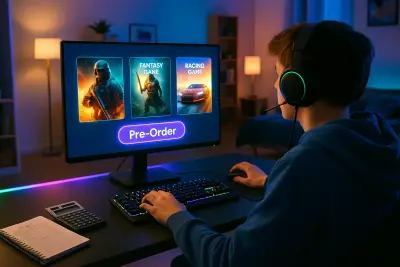
Game stores and digital marketplaces are full of flashy covers, countdown timers, and “must-play” hype. It’s easy to click “buy” and only later realize the game wasn’t worth the money—or that you’ll never actually play it. This guide flips the script: instead of chasing every new release, you’ll learn how to evaluate games like a savvy consumer so your collection is fun, manageable, and cost-effective.
Understanding What You Actually Want From a Game
Before you look at discounts, reviews, or hardware specs, get clear on what kind of play experience you genuinely enjoy. Many people buy games based on popularity, only to discover the genre or pacing doesn’t fit them at all. Think about whether you prefer short, tightly designed experiences or sprawling open worlds; solo campaigns or social multiplayer; quick matches or deep, strategic sessions that last hours. Consider your schedule, too: a 100+ hour RPG is a very different commitment than a 6–10 hour story-driven title. Look at the games you’ve finished and loved, not just the ones you own, to identify patterns in genre, difficulty, and style. The more precisely you can describe your preferences—“turn-based tactics with meaningful choices” or “relaxing, low-stress co-op”—the easier it is to ignore impulse buys that don’t fit.
Evaluating Game Value Beyond the Price Tag
Price alone doesn’t tell you whether a game is “worth it.” A short game might be a great purchase if it delivers a memorable, polished experience and respects your time, while a cheap but repetitive game may offer hundreds of hours you don’t actually want to spend. Think in terms of value-per-hour you’ll realistically play, not just total content advertised. Check if the game supports how you like to play: does it have save-anywhere? Difficulty options? Offline modes? Cross-save or cross-progression if you use multiple platforms? Also consider replayability—randomized levels, multiple endings, or mod support can extend value if that matters to you. Finally, examine performance and optimization; a game that runs poorly on your device, even if excellent on paper, will not feel like a good purchase.
Reading Between the Lines of Reviews and Ratings
Reviews are useful, but only if you know how to interpret them. Aggregated scores (like Metacritic or OpenCritic) give a quick snapshot, but they blur together very different perspectives. When browsing critic and user reviews, look for specific details about mechanics, pacing, and technical performance rather than vague labels like “overrated” or “boring.” Seek out reviewers whose tastes align with yours—if you usually like what they like (or consistently dislike what they dislike), their opinion is more predictive than a random average. Pay attention to the date of the review; many games launch rough and improve significantly with patches, or conversely start strong and suffer after controversial updates or monetization changes. On user reviews, focus on common themes: if many players mention unstable performance, predatory microtransactions, or poor matchmaking, that’s a red flag worth considering.
Watching Out for Monetization Traps and Hidden Costs
Modern games often continue charging you long after the initial purchase. When evaluating a game, take a moment to understand its full monetization model: upfront price, season passes, DLC, cosmetics, loot boxes, or subscriptions. Decide what you’re comfortable with before you buy. Some free-to-play games are generous and fair, while some full-price games still push aggressive in-game purchases. Check whether key features—new characters, maps, or story content—are locked behind recurring payments or random drops you can’t realistically earn through normal play. For multiplayer titles, look at how monetization affects balance: pay-to-win mechanics can make a game frustrating without additional spending. If you dislike constant prompts to spend or grind-heavy progression, opt for titles with transparent, limited, or cosmetic-only monetization so you control your total cost.
Practical Tips for Smart Game Purchasing
To turn these ideas into everyday habits, here are five concrete practices you can start using right away:
Use a 72-Hour Rule for Non-Essential Buys
When you feel the urge to buy a game because of a sale, trailer, or streamer, add it to a wishlist and wait at least 72 hours. If you’re still thinking about it and can clearly explain why it fits your preferences, then revisit the purchase.
Check the “Total Cost” Before Checkout
Before buying, look up whether the game has season passes, essential DLC, or subscriptions that most players consider “required” for the full experience. Use that combined number as your real price comparison, not just the base game cost.
Start With a Trial: Demos, Free Weekends, or Game Pass
Whenever possible, test games through demos, free trial weekends, or subscription libraries like Xbox Game Pass, PlayStation Plus, or PC subscription services. Use these to sample genres and series before committing to buying outright.
Buy for Your Current Hardware, Not Your Next One
Avoid buying games on the assumption you’ll “upgrade soon.” Check recommended system requirements or console performance reports and buy games that run well now, on your existing setup, to avoid paying for something you can’t enjoy yet.
Cap Your Monthly Game Budget and Track Hours Played
Set a monthly spending limit and keep a simple log of what you’ve bought and how many hours you played each title. Over time, you’ll clearly see which types of purchases deliver the best enjoyment-per-dollar and which ones become instant regrets.
Planning Purchases Around Sales and Lifespan
Sales can be a powerful tool if you use them intentionally instead of reactively. Many digital stores run predictable event sales (summer, winter, holiday, publisher-specific), so you can plan bigger purchases around those periods instead of buying on day one. For single-player games that aren’t heavily spoiler-sensitive for you, waiting a few months often means better prices and better performance after patches. For multiplayer or live-service games, timing is trickier: early adoption can mean a bigger player base and more active communities, but also more bugs and unbalanced systems. Consider how long you expect to play the title; if it’s a live-service game that may shut down servers eventually, the useful lifespan of your purchase is tied to the developer’s ongoing support. Research how the studio has handled past games—long-term updates, server stability, and communication—to gauge whether your investment is likely to hold up.
Building a Game Library That Stays Playable
Think of your game collection as a long-term library rather than a pile of impulse buys. Prefer formats and platforms that give you lasting access: can you re-download purchased titles easily? Are there DRM restrictions requiring constant online checks, or single-player games needing always-on servers? For PC games, consider how they might run on future hardware and whether mod communities keep older titles alive and interesting. On consoles, look for backward compatibility support if you plan to upgrade. Avoid buying multiple similar games at once—if you already have three massive RPGs in your backlog, a fourth one will likely sit untouched. Periodically review your library, remove what you’re certain you’ll never play, and surface hidden gems you forgot you owned. A smaller, more intentional collection you actually use is far more valuable than a bloated digital shelf.
Conclusion
Buying games thoughtfully isn’t about denying yourself fun; it’s about making sure the money you do spend reliably turns into real enjoyment, not digital clutter and buyer’s remorse. By clarifying what you like, examining value beyond just the sticker price, reading reviews with context, and being wary of hidden costs, you can turn game shopping into a deliberate, satisfying process. Combine those ideas with a few simple habits—like using a waiting period, testing via demos or subscriptions, and tracking both spending and playtime—and your game library will steadily evolve into something that fits your tastes, your time, and your budget.
Sources
- Entertainment Software Association – Essential Facts About the Video Game Industry – Industry statistics on player behavior, spending patterns, and platform trends
- Federal Trade Commission – Video Game Loot Boxes: What Parents Need to Know – Overview of loot boxes, monetization concerns, and consumer implications
- Xbox Game Pass Official Site – Example of a subscription library model for testing and accessing games
- Valve (Steam) Refund Policy – Details on refund windows and conditions, relevant for trying games with lower financial risk
- Metacritic – Games – Aggregated critic and user review scores to help evaluate titles with broader context
Key Takeaway
The most important thing to remember from this article is that this information can change how you think about Games.